Seed Audio 1.5 Is Coming to CapCut: Separate Tracks, 6-Minute Scenes and Dubbing in 30 Languages
ByteDance's new audio model will make dialogue, music, ambience and sound effects as separate tracks inside CapCut, at $0.09 a minute, once it switches on.
 AI for Mortals Staff
On this page
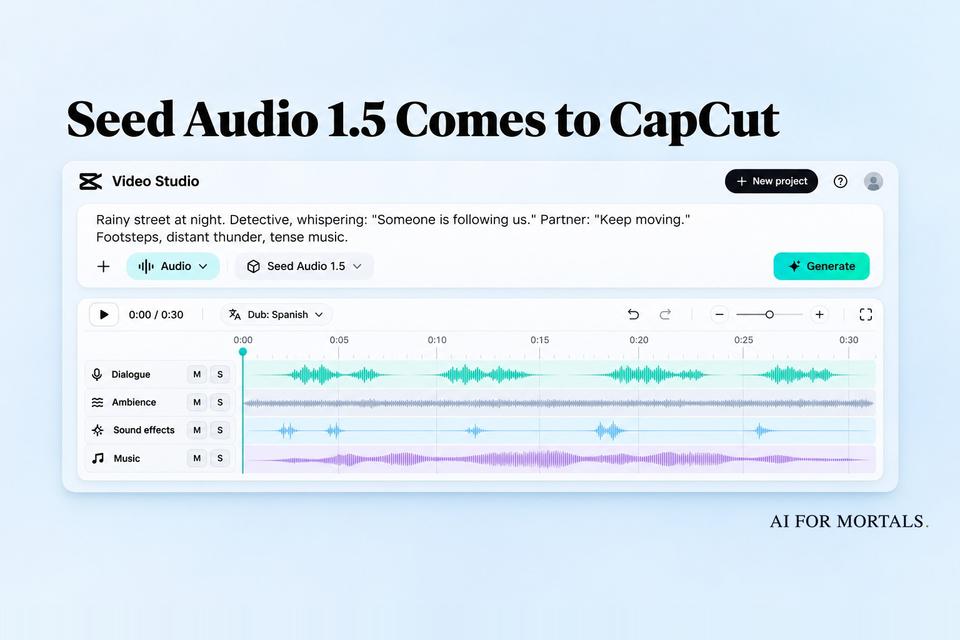
Seed Audio 1.5, ByteDance's new audio model, is on its way to CapCut. It writes a whole sound scene from one prompt (voices, background sound, sound effects and music) and hands each part back on its own track, so you can fix one line without regenerating everything.
CapCut announced it on X on November 27. The post says "coming soon," so it isn't open to CapCut users yet, including us.
This first look covers what Seed Audio 1.5 does, what CapCut says it will cost, where it will show up in CapCut, what you can use today, and the prompts we'll run on day one.
Coming soon: Seed Audio 1.5 is bringing multitrack audio generation to CapCut. Generate up to 6 minutes of dialogue, ambience, sound effects, and music in one go. Then edit each track independently, fine-tune the timing. Dub into 30 languages while preserving the original voice, emotion, and natural delivery.
CapCut on X, November 27, 2026
What Seed Audio 1.5 does
You describe a scene in plain words: who's talking, how they sound, what they say, where they are and what music sits underneath. Seed Audio 1.5 generates all of it together, so the voices, the rain and the music share one room and one sense of timing.
Earlier versions handed back one finished mix. Version 1.5 gives you separate tracks for dialogue, ambience, sound effects and music, which CapCut says you can edit and re-time one by one.
CapCut's own Seed Audio 1.5 page lists four ways to start:
- Text only. Write the scene and the lines.
- Text plus reference audio. Add up to six voice or sound clips to copy a voice or a style.
- Text plus video. Upload a clip and it builds voice, music and effects that fit what happens on screen.
- Text, audio and video together. The video sets the timing and the reference clip sets the voice.
What changed from Seed Audio 1.0
ByteDance released Seed Audio 1.0 earlier this year through BytePlus, its developer cloud. In its launch post, ByteDance said video references and multitrack audio were next. Version 1.5 delivers both.
| Seed Audio 1.0 | Seed Audio 1.5 | |
|---|---|---|
| Longest single generation | 2 minutes | 6 minutes |
| Reference clips | Up to 3 | Up to 6 |
| Languages | 20+ | 30 |
| Output | One mixed track | Separate tracks |
| Starts from video | No | Yes |
Timing control grows too. In 1.0, you could pin a line of dialogue to an exact moment, to the tenth of a second. CapCut says 1.5 extends timestamps to sound effects and music, so a door slam or a music swell can land on a cut.
Here's what 1.0's timing control already sounds like, from ByteDance's own demo. The prompt sets a 20-second scene and pins each line to a time window, like [2.8s:8.4s].
ByteDance tested 1.0 across film, short drama, podcasts, ads and plain text to speech. It says more than 90% of results were usable in most of those categories. There are no published numbers for 1.5 yet.
AI dubbing in 30 languages
Dubbing gets its own mode in 1.5. CapCut says 1.5 dubs into 30 languages while keeping the original speaker's voice, emotion and delivery, and that it watches the video so the speech fits the picture.
The languages CapCut names include English, Chinese, Japanese, Korean, German, French, Arabic, Thai, Indonesian, Vietnamese and Malay. Spanish and Portuguese come in two versions each: Mexican and Spain Spanish, Brazilian and Portugal Portuguese.
CapCut sorts the 30 languages into three tiers and doesn't say which ones sit in each tier. Its own page tells you to have a fluent speaker check pronunciation, meaning and tone before you publish a dub.
CapCut already has a dubbing tool, called Video translator, under Audio in the desktop editor. CapCut lists it as available only in some regions. It hasn't said whether Seed Audio 1.5 replaces it or sits beside it.
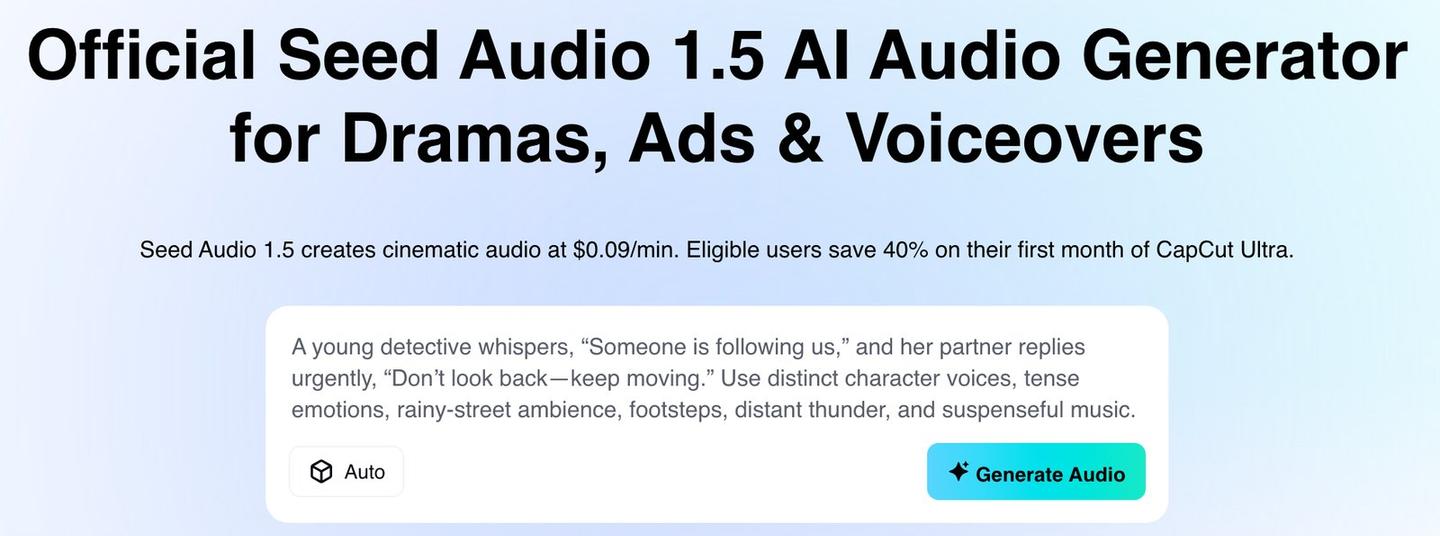
Seed Audio 1.5 price: $0.09 a minute
CapCut's page prices Seed Audio 1.5 at $0.09 per minute of generated audio. At that rate a full six-minute scene costs about 54 cents, and a 30-second ad voiceover with music costs under 5 cents.
The page pairs the price with 40% off the first month of CapCut Ultra for eligible accounts. It doesn't say whether the per-minute price applies on free accounts, comes out of plan credits, or needs Ultra. We'll find out when it switches on.
Where it will show up in CapCut
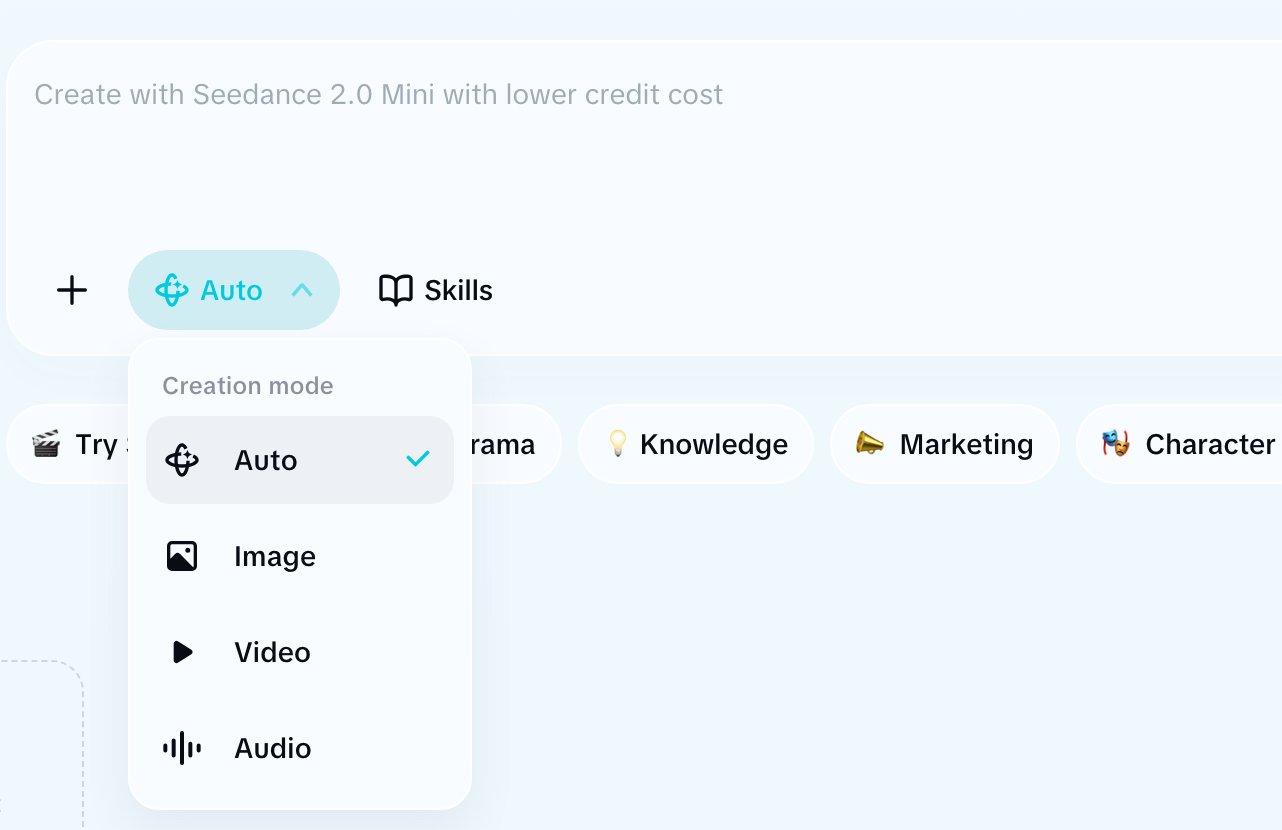
CapCut says the main way in is CapCut Web, its browser version. The steps it describes go through Video Studio, the AI creation page.
- Open Video Studio from the left sidebar in CapCut Web.
- In the prompt box, click Auto and choose Audio.
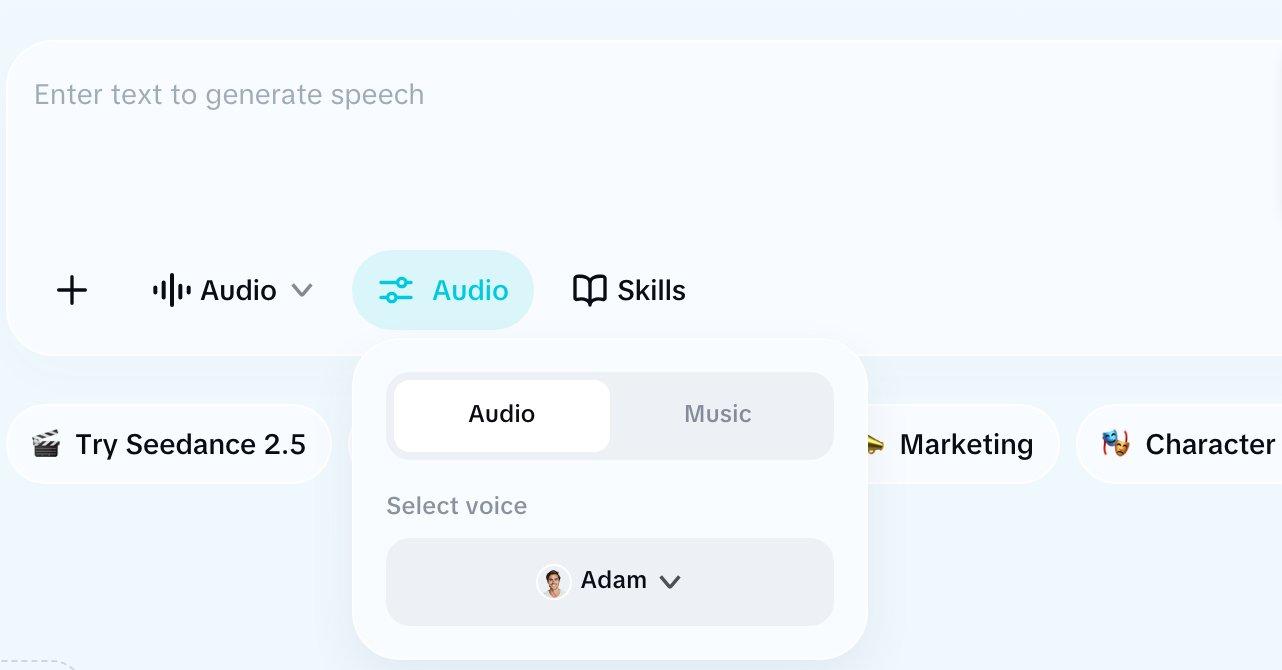
- Click the second Audio button (the one with the sliders icon) and pick a voice under Select voice.
- Write your scene, add reference clips or a video, and generate.
You can open that panel today without signing in. On November 27 the Audio mode said "Enter text to generate speech," with a voice picker and a separate Music tab. Nothing in it is labeled Seed Audio 1.5 yet.
Dreamina, CapCut's sister app for AI images and video, has a Seed Audio 1.5 page as well. Its generator box still showed SeedAudio 1.0 when we loaded it on November 27.
CapCut text to speech today, and what changes
If you use CapCut's text to speech now, you pick a stock voice and it reads your words. Music and sound effects come from separate libraries, and you line them up on the timeline yourself.
Seed Audio 1.5 folds those steps into one prompt. You'd describe the narrator, the music and the sound cues together, then adjust each track on the timeline afterward.
Two more details from CapCut's page. A voice you like can be saved to a personal voice library and reused across videos, CapCut says. And cloning someone's voice from a reference clip needs their permission. CapCut's own page says so, and our guide to AI voice scams covers how cloned voices get misused.
Prompts we'll test on day one
The original plan for this post was a hands-on test. Since 1.5 isn't switched on, these are the five prompts we'll run the day it is, written in the structure CapCut and ByteDance use in their own examples. Each one is ready to paste.
1. A product voiceover. This checks whether the narration sounds like a person or a robot.
A 30-second product voiceover for a reusable water bottle. Narrator: woman in her 30s, warm and relaxed, like she's talking to a friend. She says: "It keeps ice for a full day. It fits in a cup holder. And it doesn't leak in your bag." Soft acoustic guitar underneath, quiet. End with a gentle bottle-cap click.
2. Music and sound effects for a 10-second clip. No dialogue, so this tests the sound design on its own.
10 seconds, no dialogue. A morning coffee shop. Espresso machine hiss at 0-2s, a cup set on a saucer at 3s, quiet chatter in the background throughout. Upbeat lo-fi piano music starts soft and builds slightly by 8s.
3. A two-person scene with timestamps. This shows whether each voice and each effect lands on its own track, at its own time.
Total audio duration: 20 seconds. A quiet office at night, rain on the windows, a low hum from the lights.
Maya (female, 20s, tired, half-joking) [1.0s:4.0s]: "Tell me you saved the file."
Sam (male, 30s, nervous, speaking fast) [4.5s:8.0s]: "I saved a file. Maybe not the file."
A phone buzzes on the desk at 9s. Tense, minimal synth music fades in at 10s.
4. A dub. Upload a short talking-head clip in English, then ask for Spanish, French and Japanese versions one at a time. A native speaker will check each one.
Dub this video into Mexican Spanish. Keep the speaker's own voice, pace and energy. Keep the background music and room sound as they are. Match the mouth movements as closely as you can.
5. A podcast opener. This checks how the music ducks under a voice.
A 15-second podcast intro. A short, bright synth jingle plays for 4 seconds, then drops low under the host. Host: man in his 40s, friendly, clear radio voice. He says: "Welcome back to Small Shop Talk, the show about running a business without losing your mind." A soft room tone throughout.
We'll judge each result on how natural the voices sound, whether the tracks really come apart, how long each one takes and what it costs against the $0.09-a-minute price.
How this fits with CapCut's other new AI tools
Seed Audio joins two other ByteDance Seed models in CapCut. Seedance makes the video and Seedream makes the images, and we looked at Seedream 5.5's 100-edit claim in CapCut earlier this month.
CapCut is also coming to ChatGPT as a plugin, so you'll be able to start an edit by chatting. Seed Audio 1.5 fills the audio side of the same workflow: the voice, music and effects that used to come from separate tools.
The tool it most clearly competes with is ElevenLabs, which sells voices, dubbing and sound effects as separate tools with their own plans. Seed Audio 1.5 puts all of that behind one prompt inside the video editor people already use.
If you're making product ads in CapCut, this guide to Seedance covers the video half:
What we don't know yet
- The date. CapCut says "coming soon" and gives no day. ByteDance's own Seed site still lists only Seed Audio 1.0.
- Who gets it first. CapCut's page says access depends on account, region and rollout. CapCut's existing dubbing tool is already limited by region.
- Phone or browser. CapCut names the web version as the main way in. It hasn't said when the phone app gets it.
- Plans. The $0.09 price is public. Whether free accounts can use it is not.
The six-minute length and separate tracks are the parts we're most curious about. The demos are polished, and if the tracks really come apart cleanly, the voice, the score and the sound effects for a short video come from one box in CapCut instead of three apps. We'll run the five prompts above the day it switches on and update this post with what we hear.
Sources
- CapCut on X: Seed Audio 1.5 coming soon (November 27, 2026)
- Seed Audio 1.5 AI Audio Generator (CapCut: modes, price, languages, steps)
- CapCut Video Studio (the Audio mode, checked November 27)
- Introducing the Seed Audio 1.0 audio creation model (ByteDance Seed)
- Seed Audio 1.0 project page (ByteDance Seed)
- Seedaudio 1.5 in Dreamina (Dreamina by CapCut)
- AI Dubbing: Video translator (CapCut, region-limited)


Comments
Sign in to join the conversation.